
Parcelizer combines route optimization, live driver tracking, and traffic aware customer ETAs, with a full API and webhook layer for backend integration. Operators upload stops by spreadsheet or API, dispatch optimized routes to drivers through the iOS and Android apps, track progress on a live map, and capture signature or photo proof of delivery.
It markets itself as a complete white labelled delivery management solution for couriers and logistics companies, meaning resellers can put their own branding on it.
It launched as an affordable delivery management alternative for parent company Afi Labs' smaller customers, who couldn't justify the $100k+ price tag of a custom build.
At a glance
- Founded: 2021
- Status: Active
- Funding: Self funded
- Founder: Afian Anwar
- Website: http://www.parcelizer.com
- Pricing: $300 per month for 2,000 orders (pricing page)
- Free Tier?: Yes, free to try no credit card needed
- Support: Minimal support







Data import
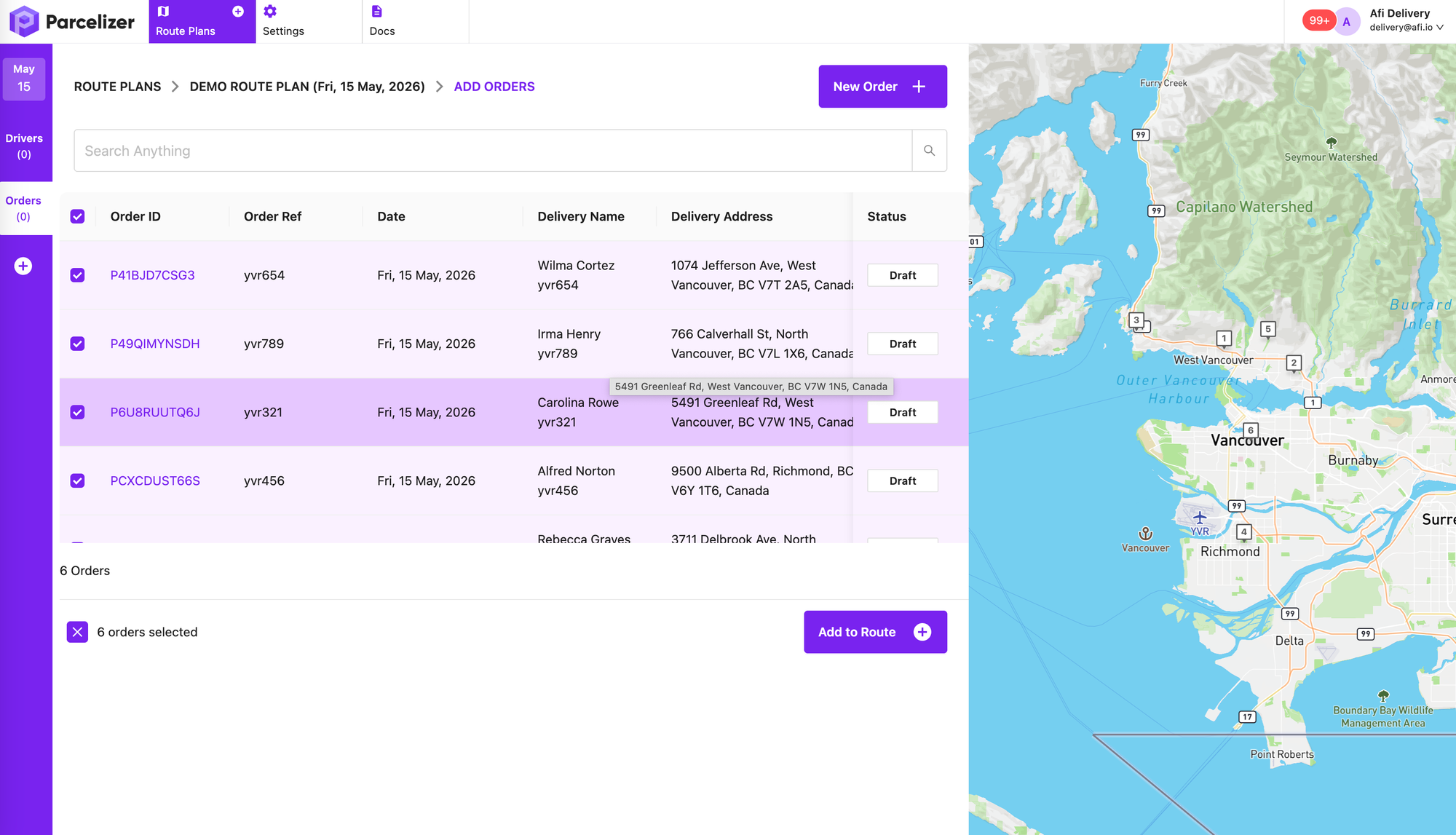
Users upload a spreadsheet of customer addresses they need to visit. Columns are matched automatically based on previously saved settings, and stop addresses are geocoded and displayed on a map.
Custom fields
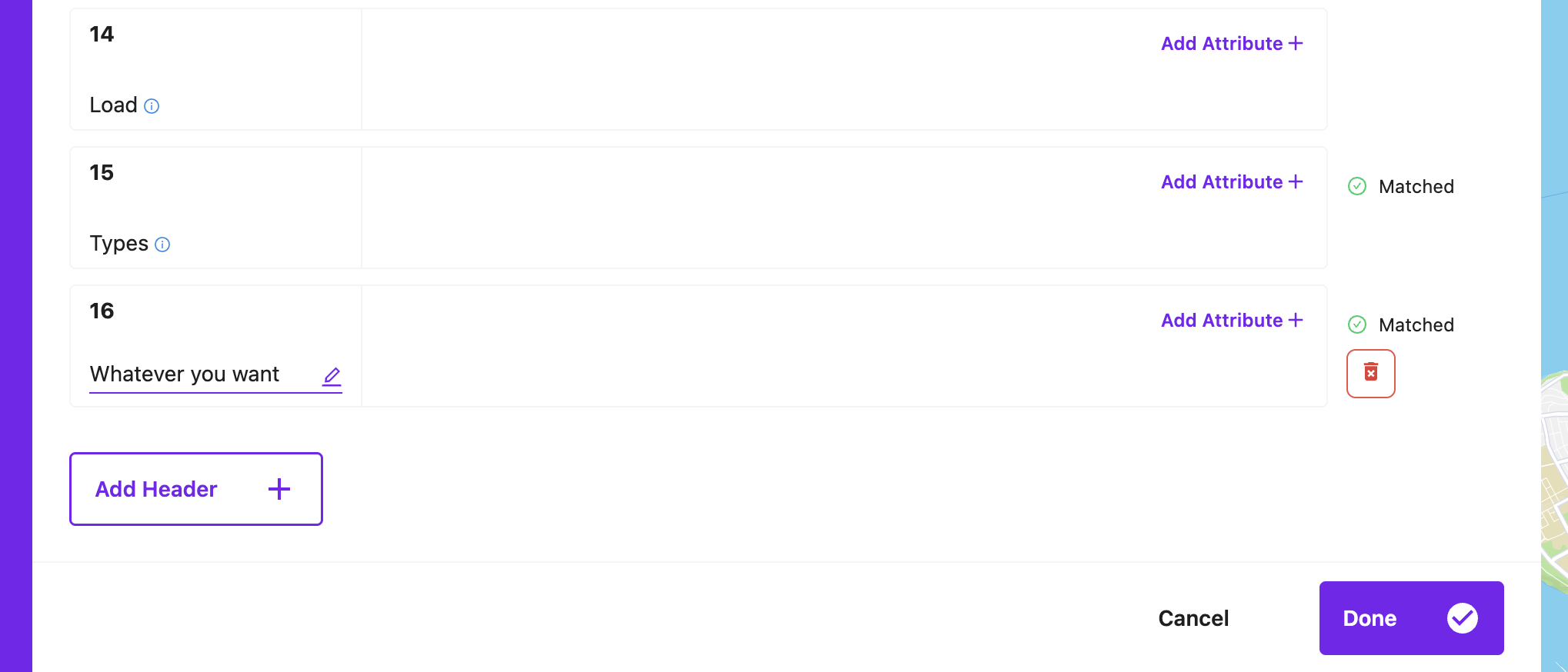
You can add custom fields e.g. "delivery instructions" by creating a new header and matching it to a column in your spreadsheet. These custom fields show up in the driver app and in the CRM.
Route optimization
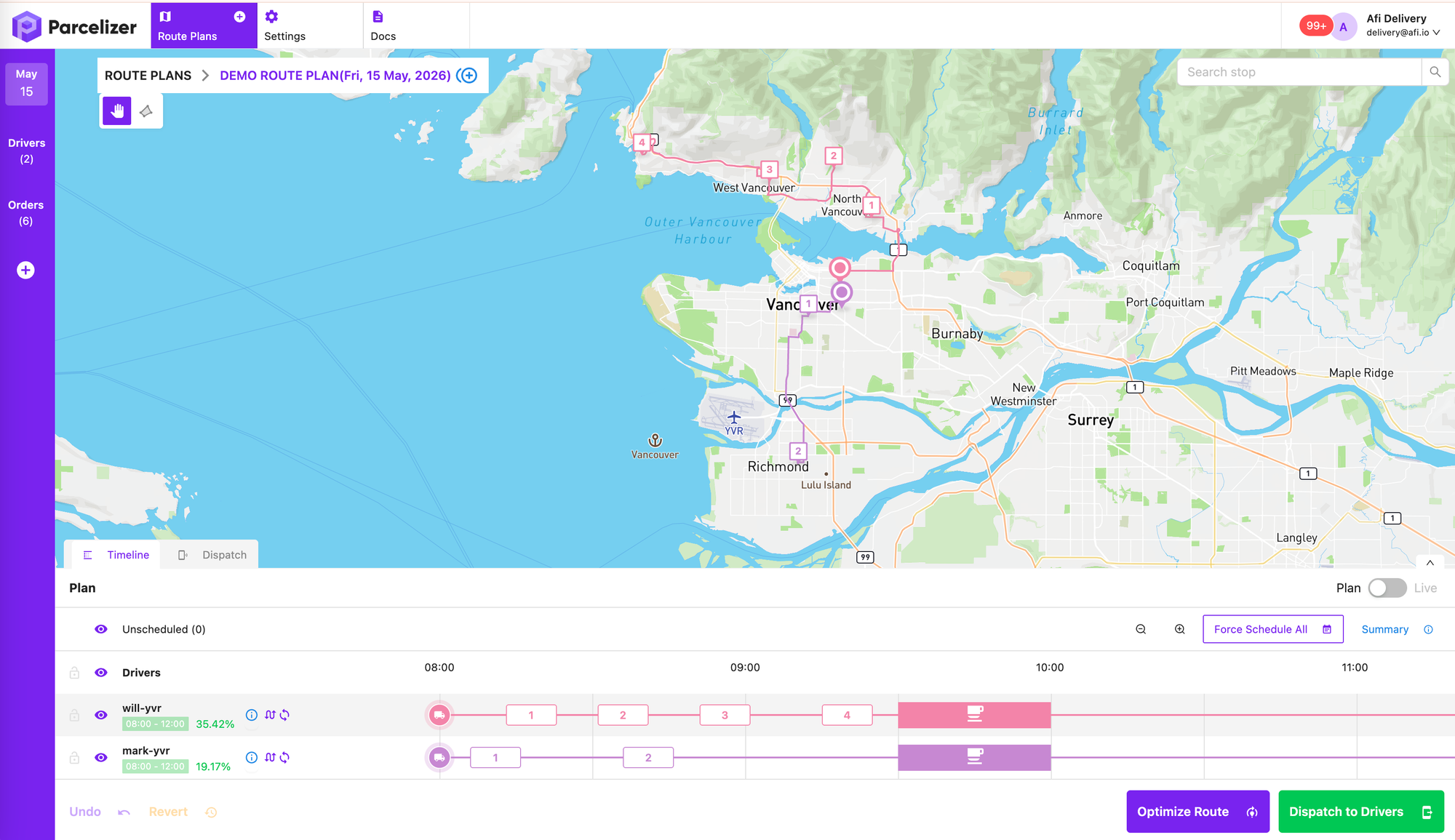
Once orders and drivers are added to the route plan, routes are optimized automatically and displayed on the map as color-coded polylines, one per driver. Users can reorder stops or reassign them between drivers.
Polygon selection tool
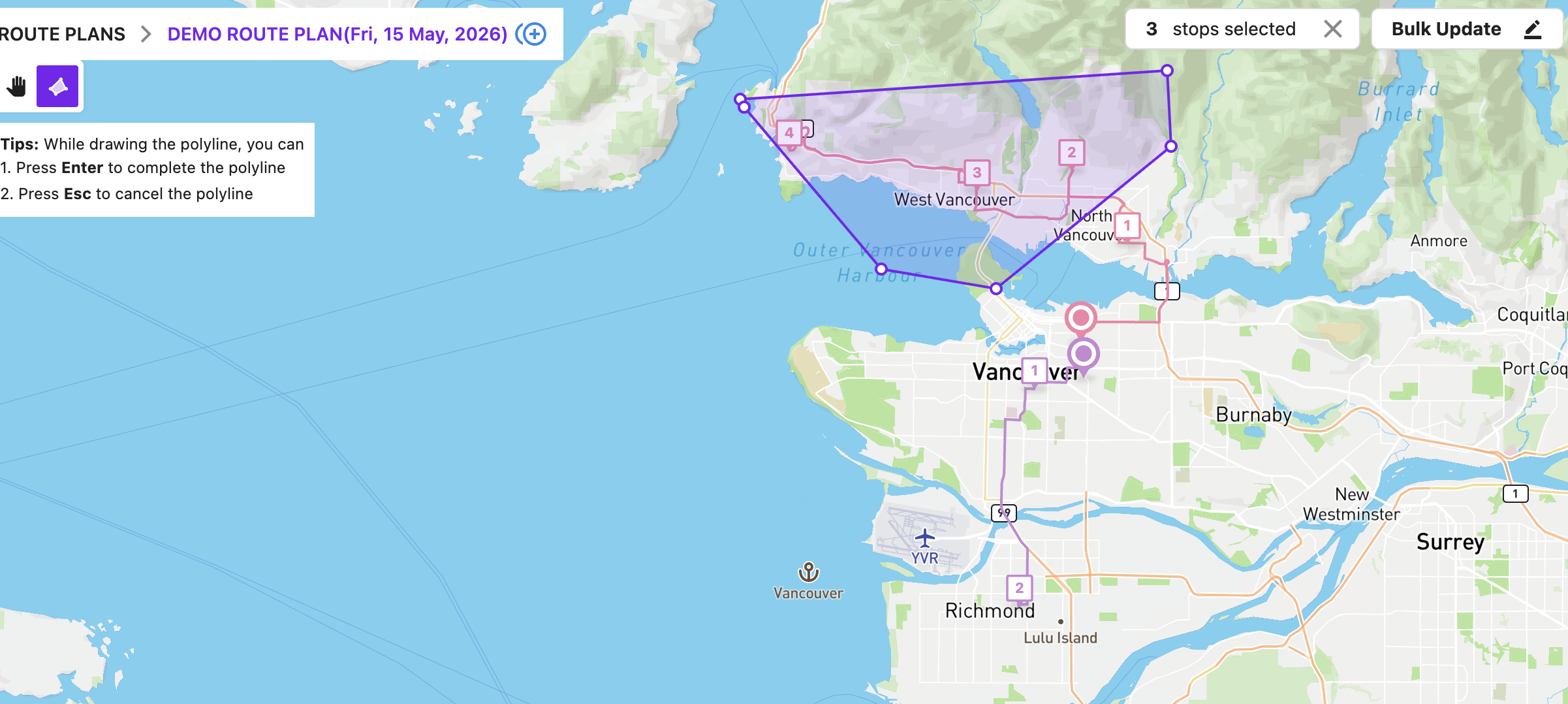
Users can select one or more stops using a polygon selection tool.
Search function
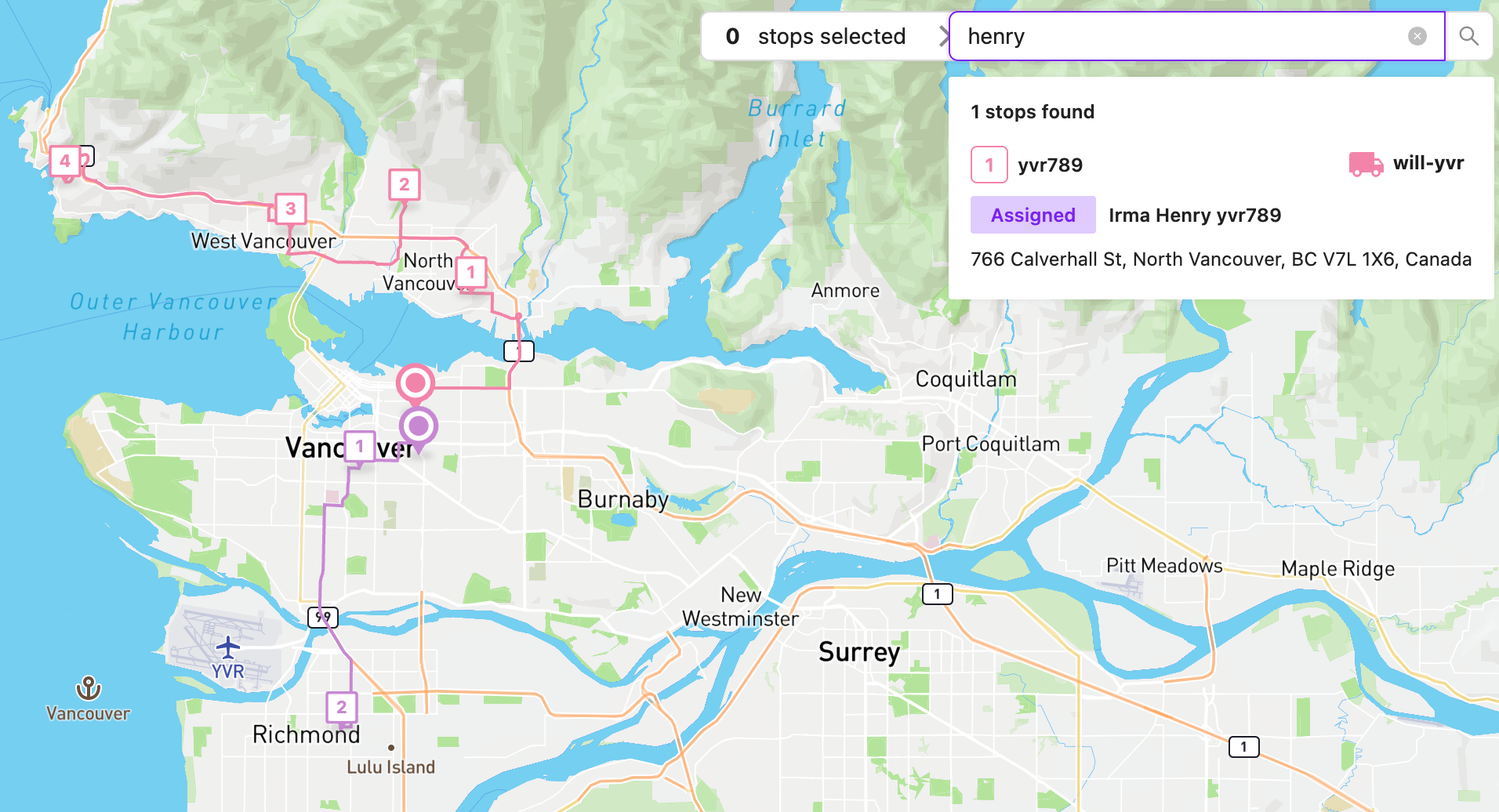
Users can search for a specific stop based on customer name, address and order id.
Driver dispatch
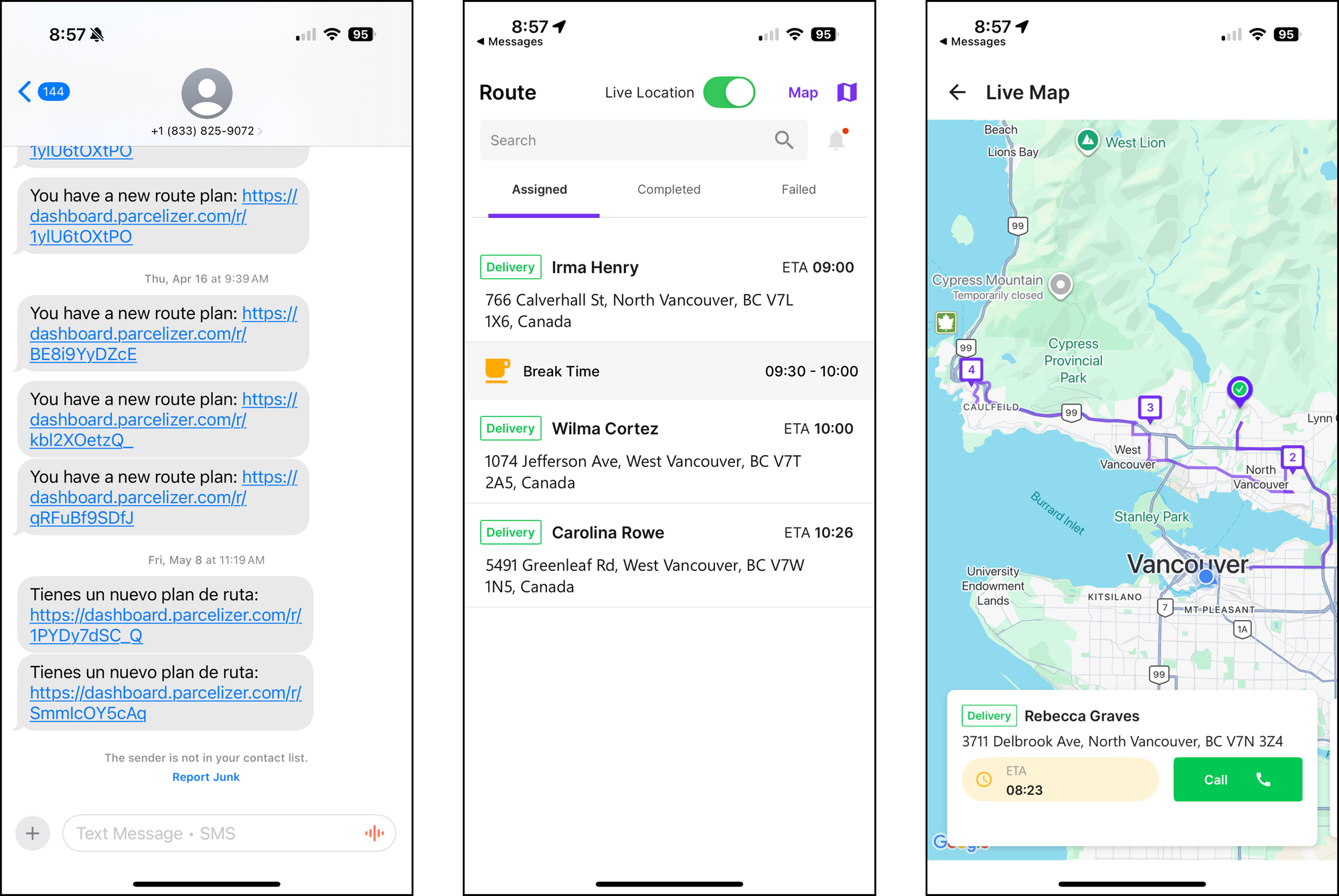
Routes are dispatched via text message to the phone number assigned to a driver. The driver receives a unique link which opens up the driver app with the route preloaded onto it. The link can also be sent via email or (manually) by copy pasting the link into WhatsApp.
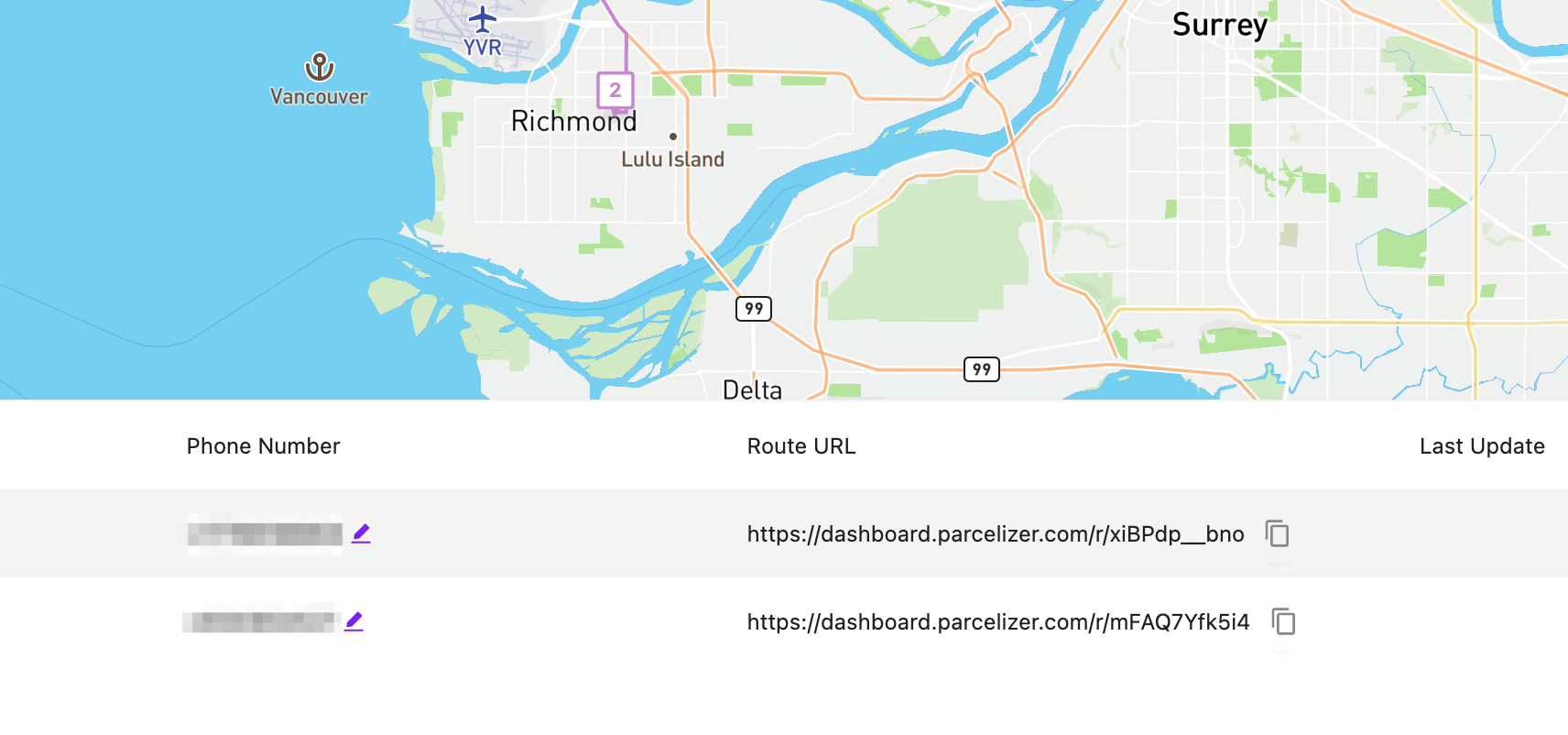
Driver App
The driver app displays a list of stops along with ETAs (which don't factor in real-time traffic) and a map showing the driver's stops, optimal route, and current location. Drivers can call customers directly if a phone number is available.
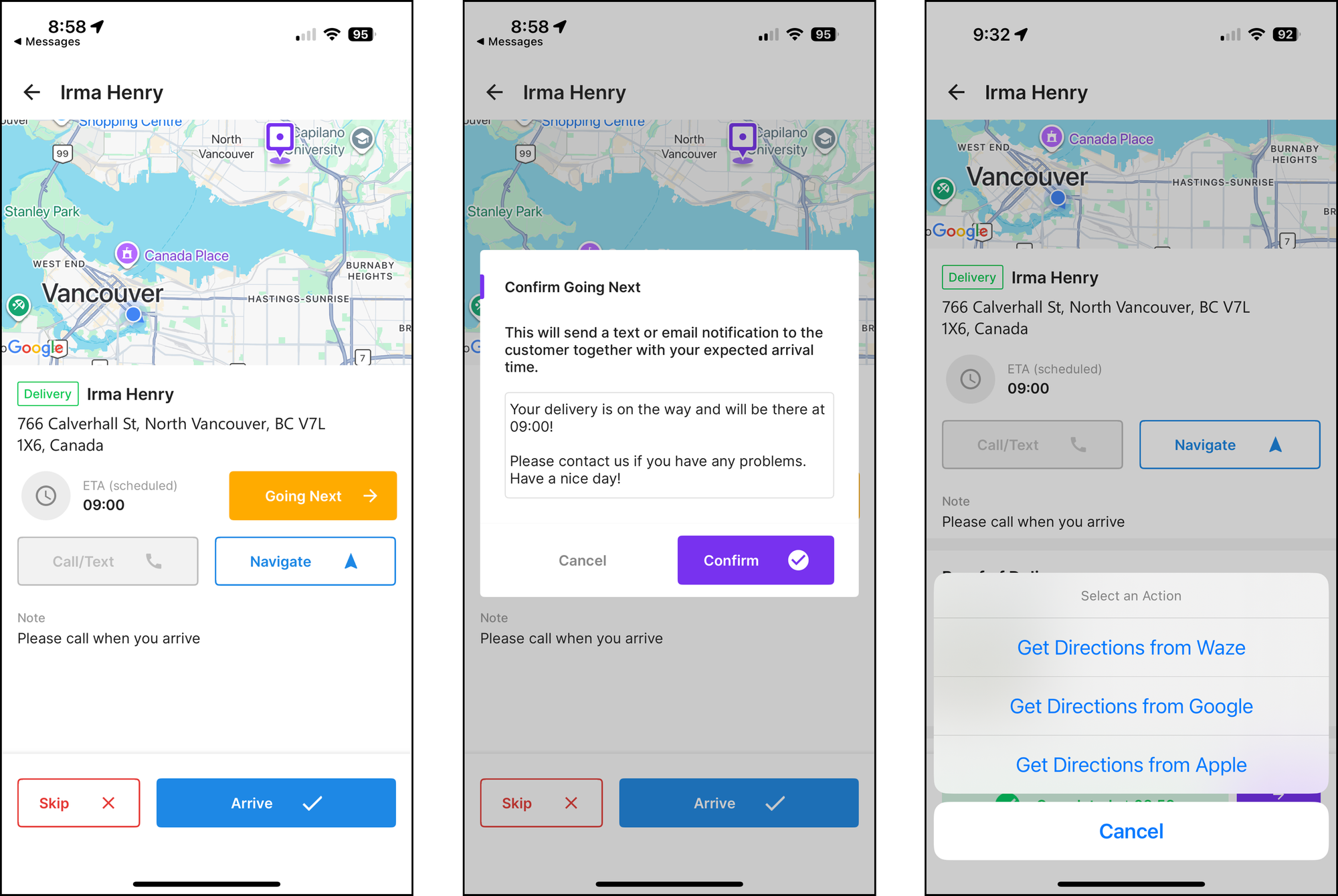
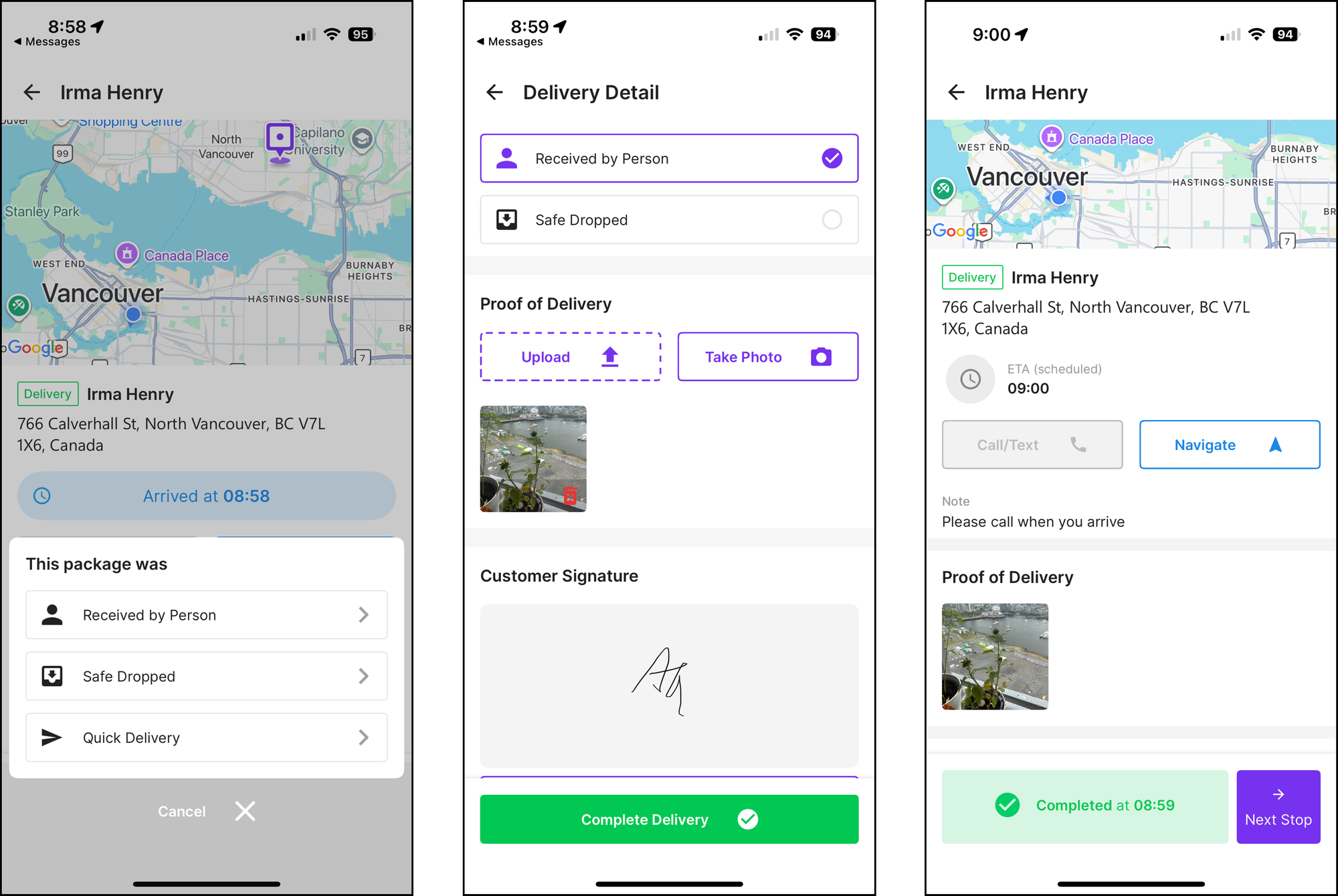
Tapping a stop opens its detail view, which shows the customer name, delivery address, notes, and any custom field information. The driver can tap [Going Next] to send the customer a text notification with an ETA based on real time traffic and the driver's current location. Navigation to the delivery address is available through Waze, Google Maps, or Apple Maps (no in-app navigation available).
Live tracking
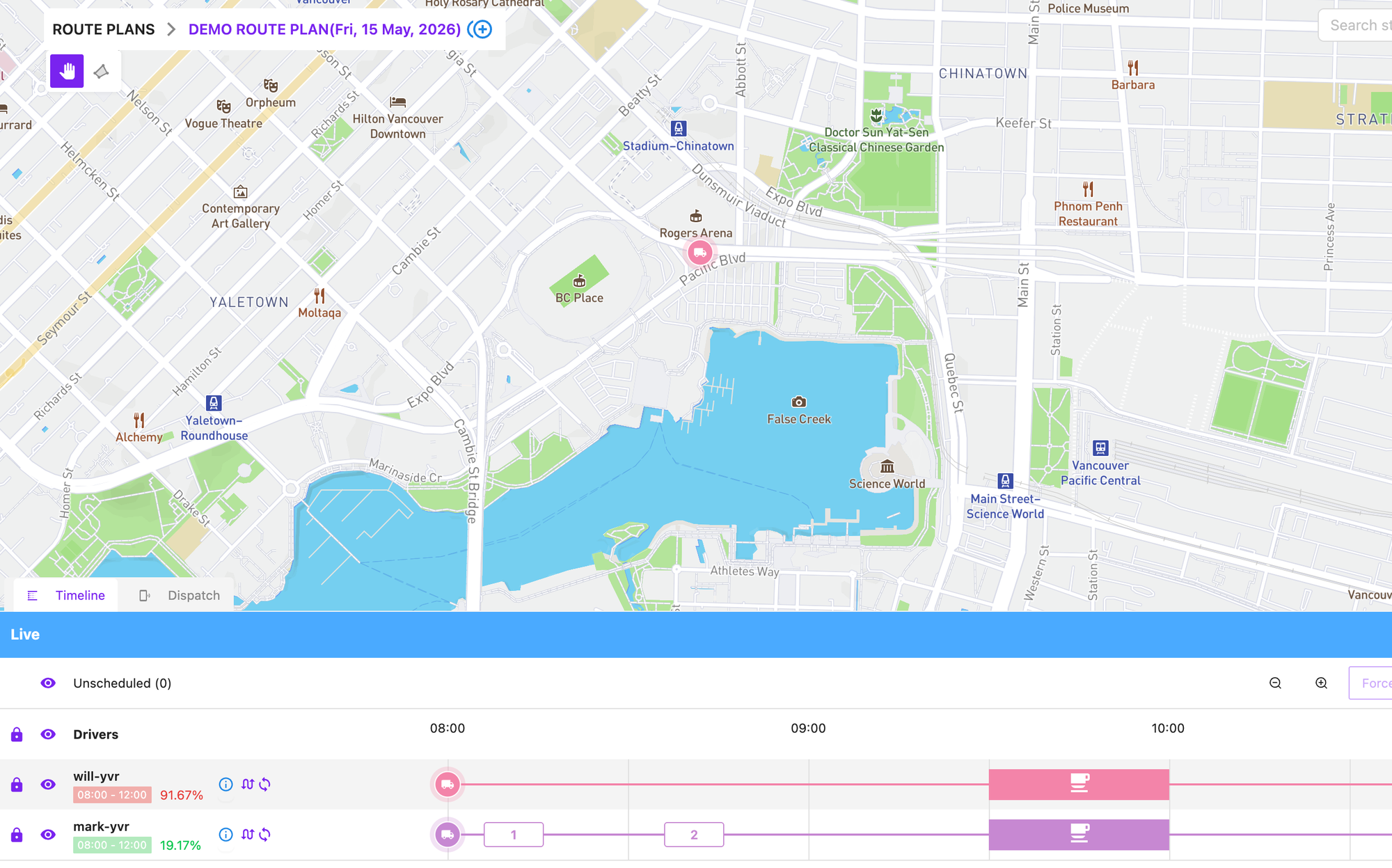
When live tracking is enabled in the app, the driver's real time location appears on the map. However, tracking stops once the driver switches to a third party navigation app like Google Maps, because those apps block other apps from accessing the phone's GPS data.

Proof of delivery
The driver can mark a delivery as Received, Safe Dropped, or Quick Delivery (which skips the mandatory proof of delivery). Two types of POD are supported: photo proof and customer signature. The driver can also add an optional note. When the driver taps Complete, the timestamp and location are recorded and made available in the backend.
Customer Notifications
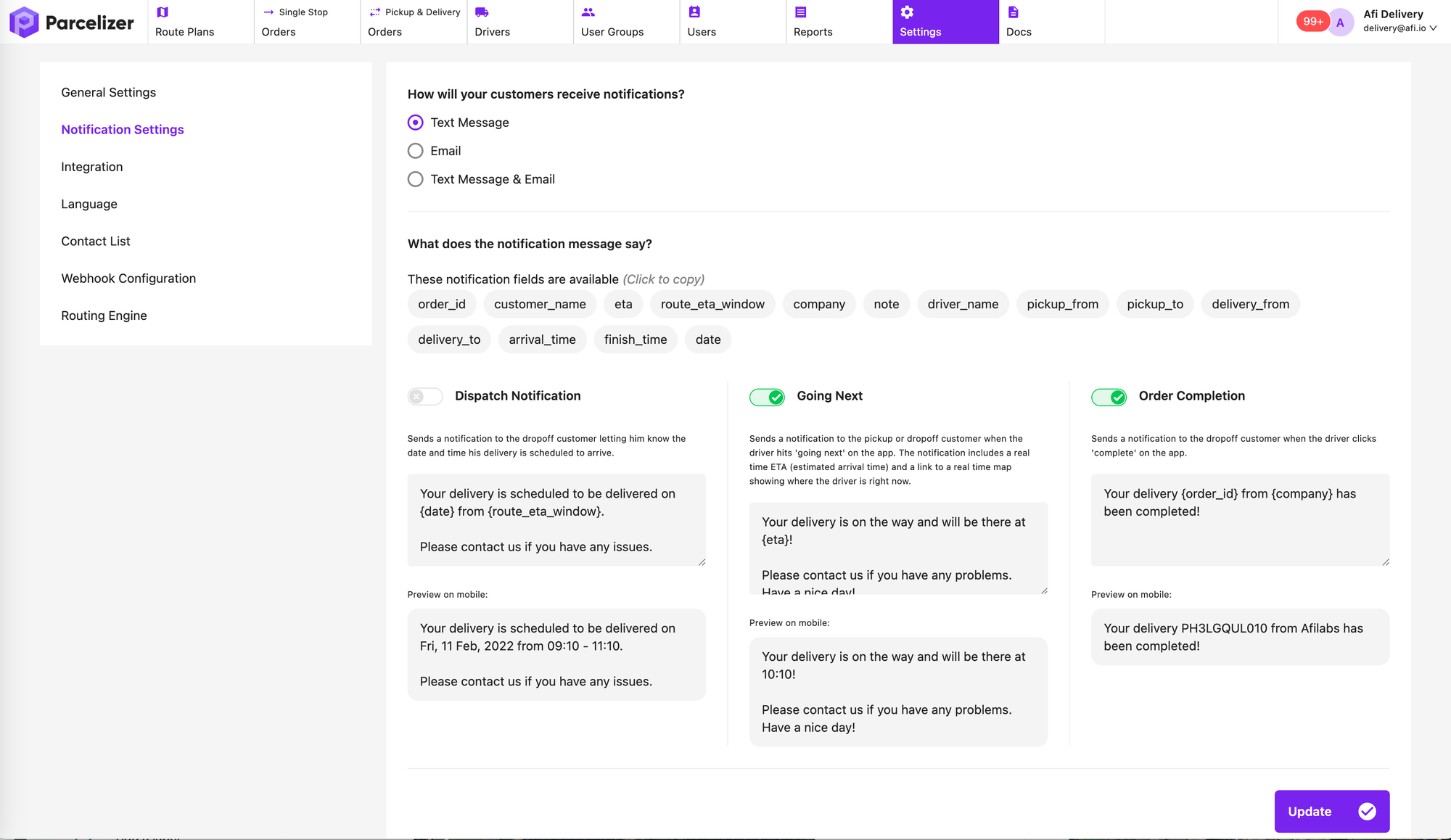
Users can choose when notifications are sent. Three events can trigger a notification: dispatch, when the driver marks a stop as 'Going Next,' and delivery completion. The notification message is fully customizable and can be personalized using custom field values associated with each stop.
Customer records management
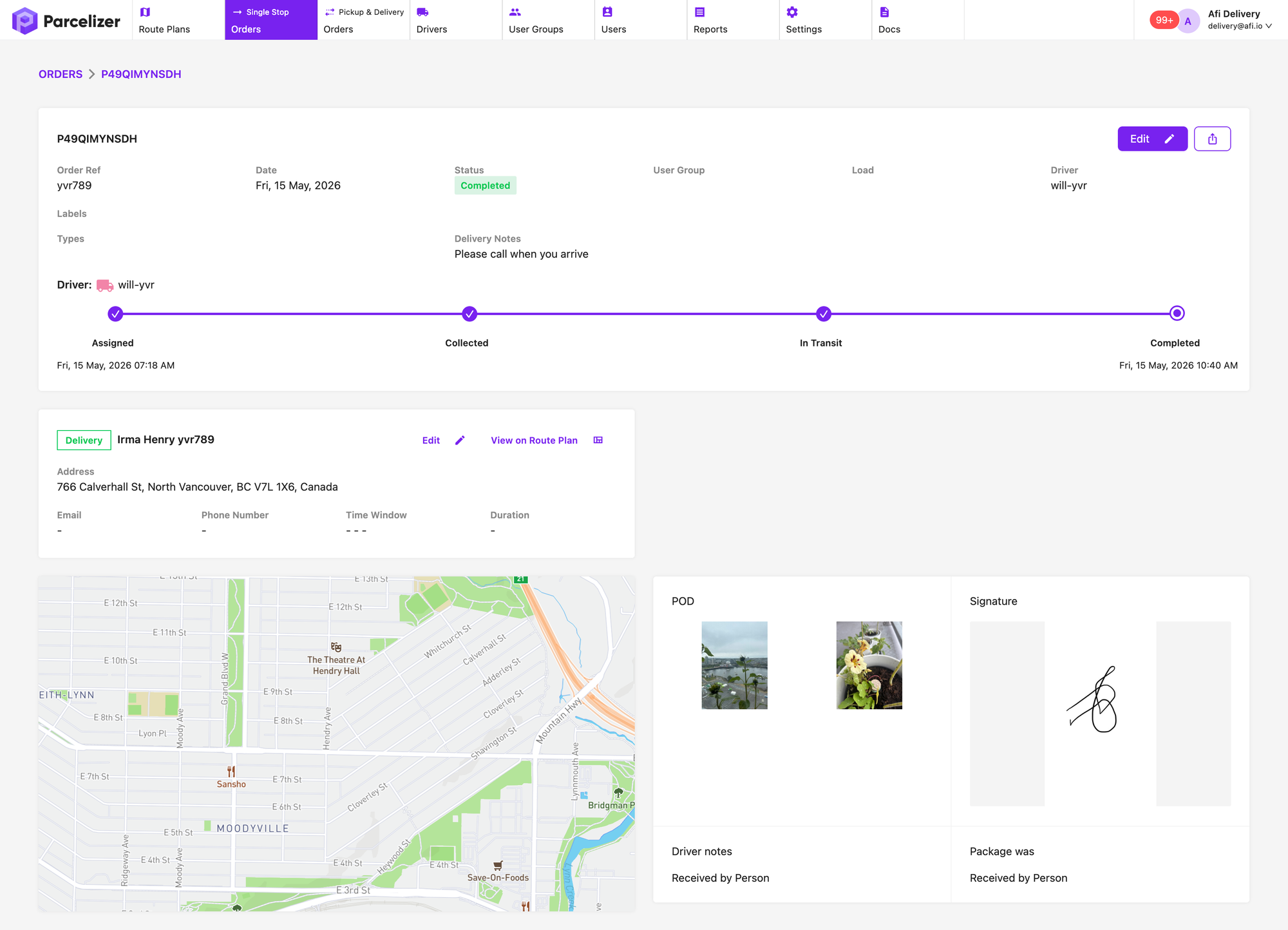
Users can view completion status, event timestamps, and proof of delivery in the Parcelizer admin backend. Orders are easily searchable, and each one can be used to generate an invoice or delivery receipt as a printable PDF.
Other features
Language support
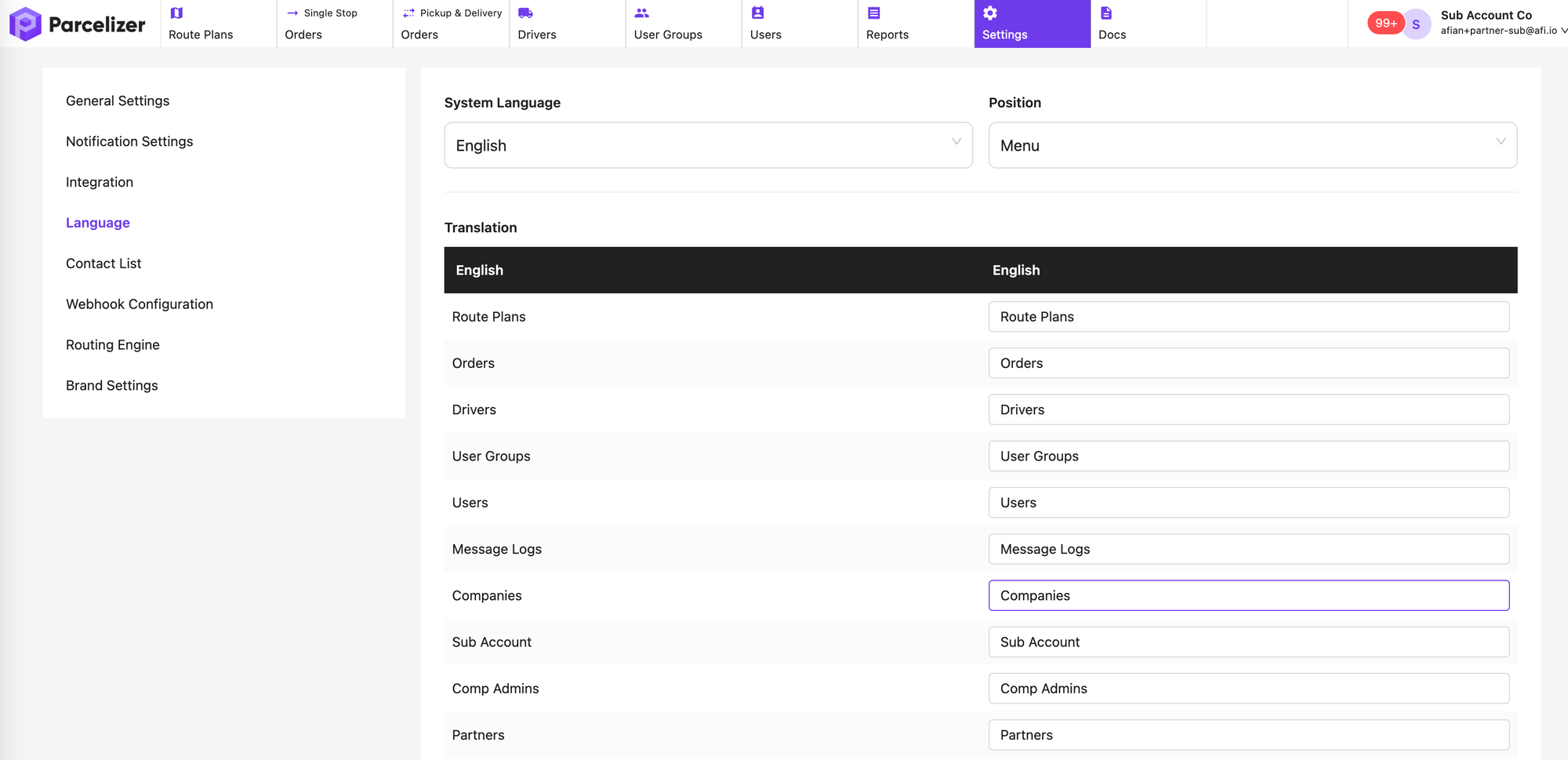
Supports 200+ languages through AI auto-translation. Users can also translate individual phrases manually
White label
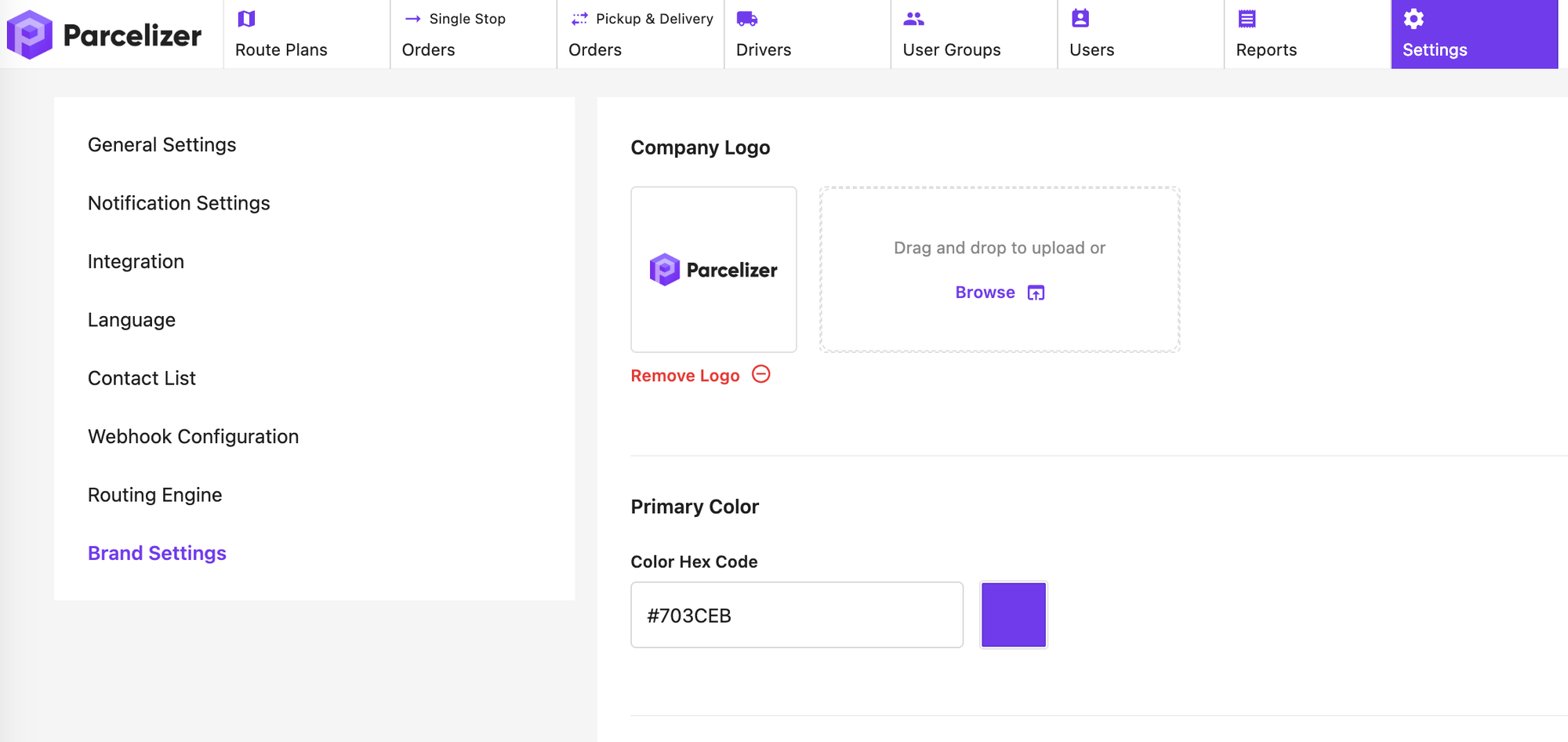
Users can brand Parcelizer with their company logo and color scheme.
Sign up for a free trial (no credit card required) or contact Parcelizer support to schedule a demo and discovery call.
